

VIBER OUT ALTERNATIVE
Viber Out alternative
Call real numbers from your browser, without installing Viber
Both services call regular mobiles and landlines. Viber Out works through the Viber mobile or desktop app, using World Credit or an optional monthly plan. Talkala keeps the call in your browser with simple pay-as-you-go credit and the exact rate shown before you dial.
Eligible new accounts can try one 60-second call without adding a card.
- Calls regular mobiles and landlines
- No calling app required
- Rate shown before calling
 TalkalaCall from your browserPay-as-you-go credit
 Viber OutCall from Viber on mobile or desktopWorld Credit or monthly plans
Which service fits the way you call?
Choose Talkala when:
- You want to call from a browser without installing or opening Viber
- You prefer one pay-as-you-go balance instead of choosing a calling plan
- You make occasional calls or call several different countries
- You want the exact rate for the full number before you dial
Choose Viber Out when:
- You already use Viber on your phone or computer
- You call one country or included destinations often enough for a plan to make sense
- You want Viber messaging and free Viber-to-Viber calls alongside paid phone-number calls
- You prefer choosing between World Credit and several plan types
Both services use the caller’s internet connection and can ring regular mobiles and landlines. The recipient does not need Talkala or Viber, and does not need an internet connection to answer.
Check your Talkala rate
All ratesWhere are you calling?
Choose a destination
USD starting rates · US caller ID. Check the exact rate for your number and caller ID in the dialer.
See how each service works
Talkala starts in a browser tab. Viber Out starts in the Viber mobile or desktop app.
Talkala · Browser dialerEnter a regular international number, review the rate and start the call from your browser.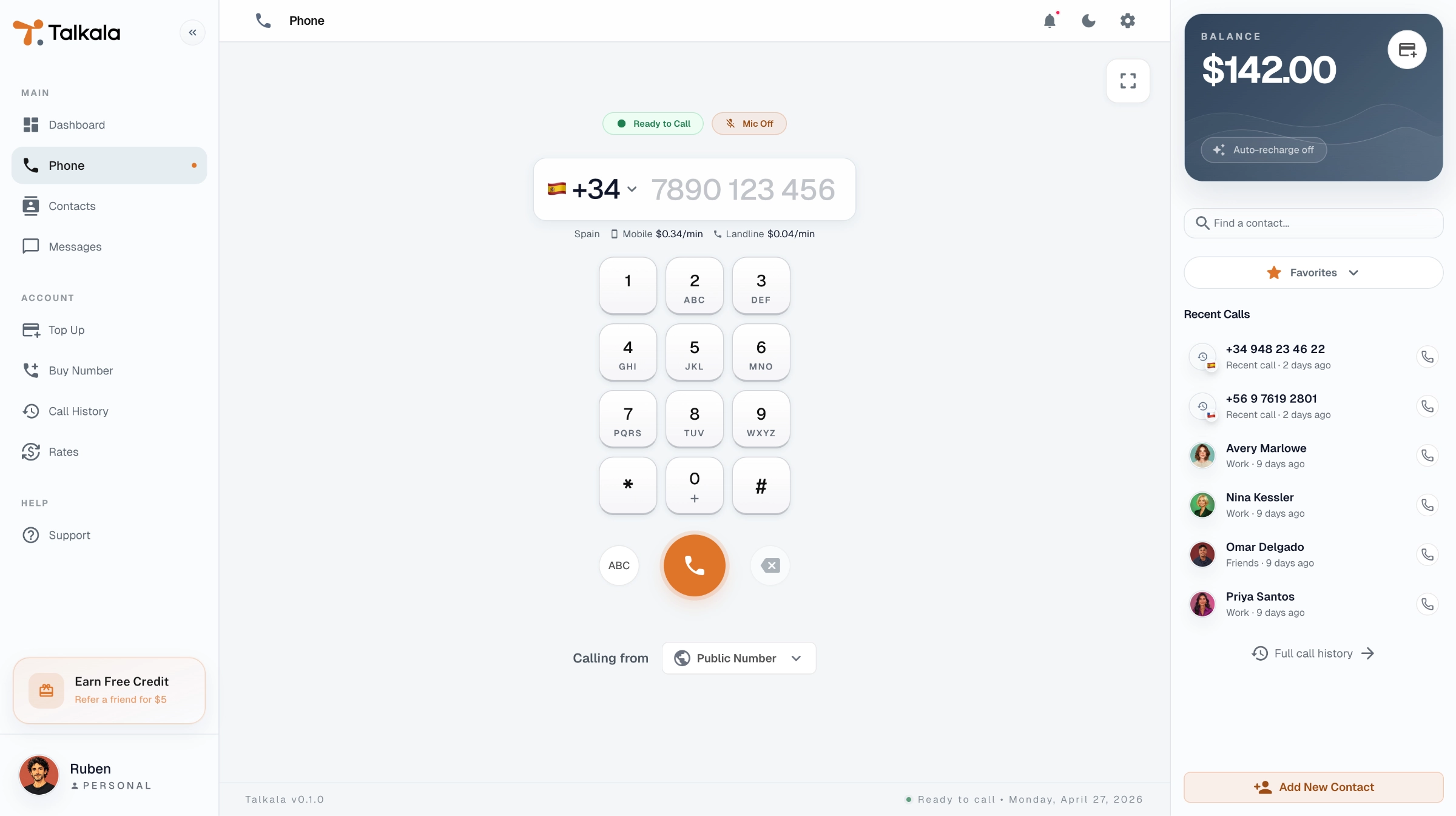
 Viber Out · Mobile appOpen Viber, choose the dial pad and call a regular number using World Credit or an active plan.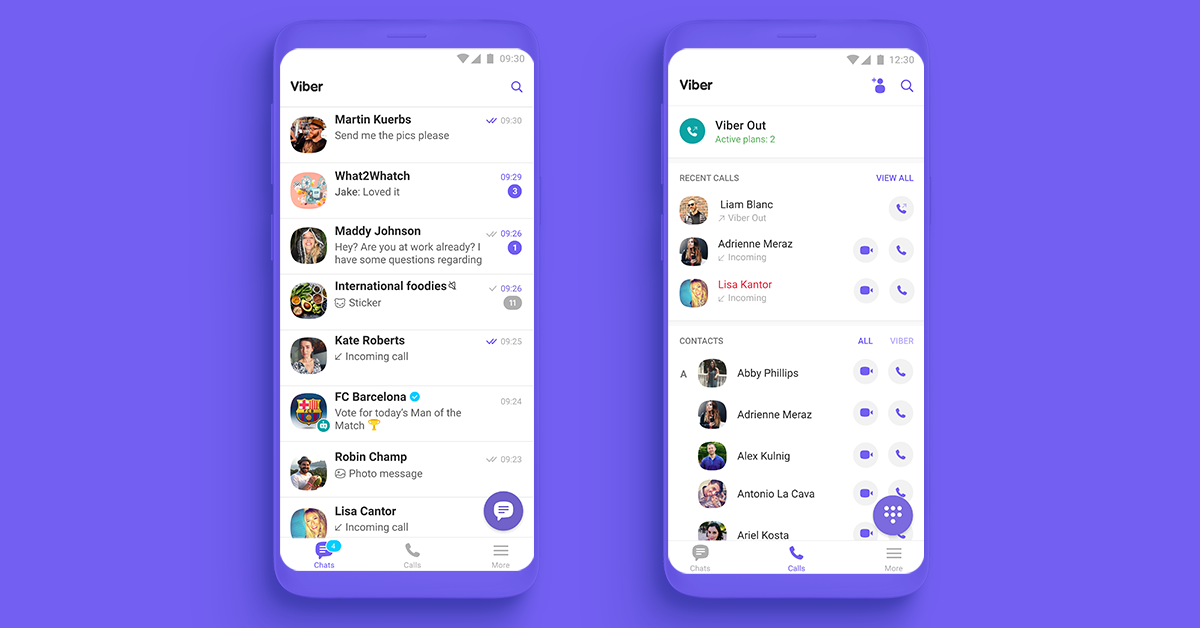
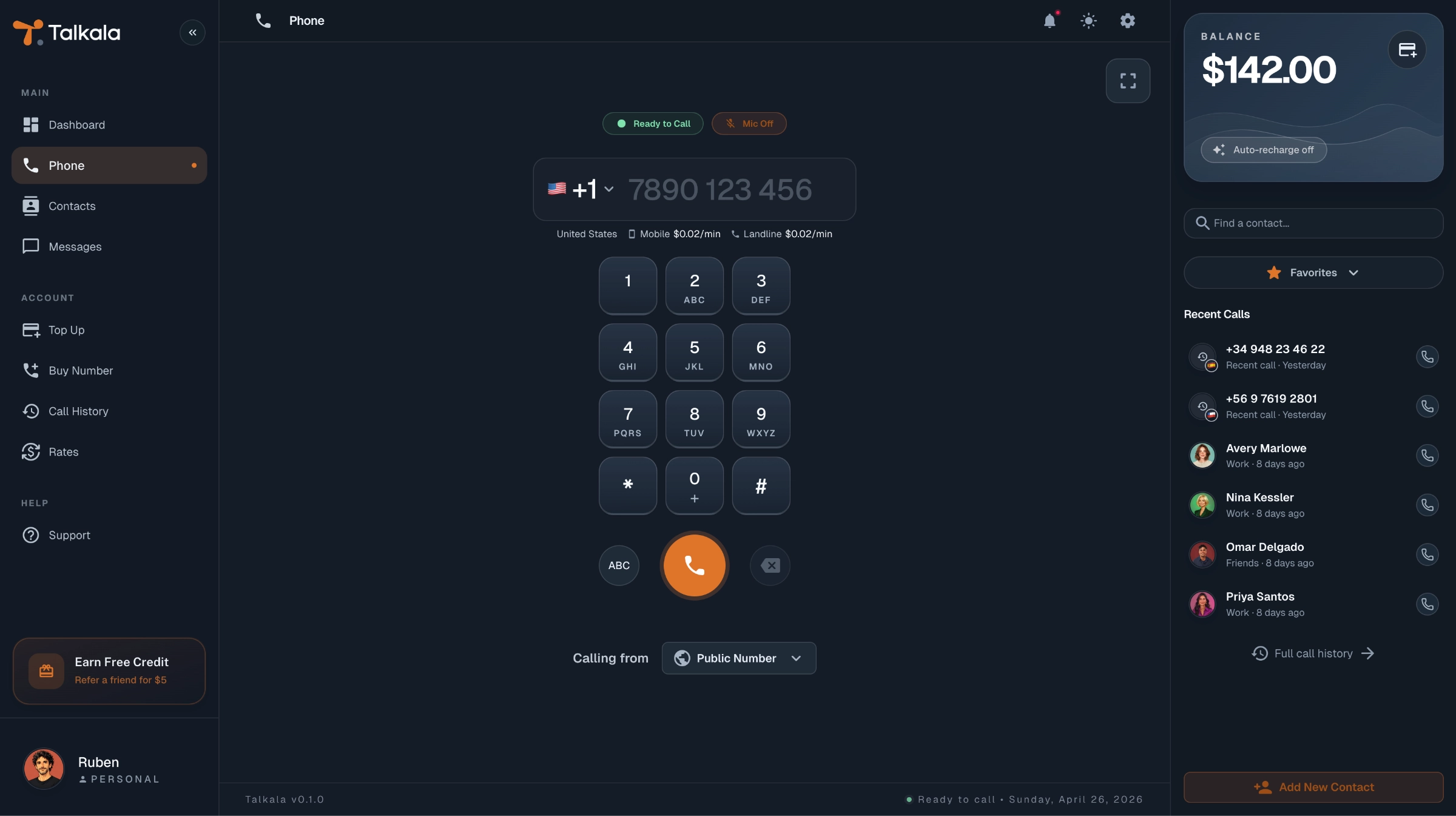
Talkala shows an example account and rates. Viber’s official image shows chats on the left and the Calls screen with Viber Out on the right. The interface may vary by version. Viber screenshot source.
Talkala and Viber Out at a glance
Compare where calls start, how each service is paid for and which option fits your calling pattern.
Swipe the table to compare both services.
| What matters | Talkala | Viber Out |
|---|---|---|
| Where the call starts | Standard web browser | Viber mobile or desktop app |
| Calls regular mobiles and landlines | Yes | Yes |
| Recipient can answer without installing the service | Yes | Yes |
| Recipient can answer without internet | Yes | Yes |
| Works in a standard web browser | Yes | No, use the Viber mobile or desktop app |
| Desktop calling | Yes, in the browser | Yes, through the desktop app |
| Mobile calling | Yes, through the mobile browser | Yes, through the Viber app |
| Pay-as-you-go calling credit | Yes, prepaid Talkala credit | Yes, World Credit |
| Can call without a monthly plan | Yes | Yes, using World Credit |
| Country and multi-country plans | Not offered. Talkala uses pay-as-you-go credit. | Optional country and multi-country plans are available. Availability varies, and paid plans renew monthly until cancelled. |
| Free calls and messaging between service users | No | Yes, through the regular Viber service |
| How rates are checked | Exact per-minute rate shown for the full number before dialing | Published rates by destination and number type in Viber Out |
| Best for | Browser-based pay-as-you-go calls without installing Viber | Existing Viber users and frequent callers who benefit from a country or multi-country plan |
How to try Talkala before switching
You do not need to cancel Viber Out to compare the two. Check the rate for the numbers you actually call and try an eligible free call first.
- 1
Create your Talkala account
Sign up and complete any required verification. You do not need to add a card to try an eligible free call.
- 2
Enter the international number
Choose the country and enter the regular mobile or landline number you need to reach.
- 3
Review the rate and start the call
Check the exact per-minute rate and free-call eligibility before connecting.
Trying Talkala does not change an existing Viber Out plan. Rakuten Viber states that monthly Viber Out plans continue to renew until cancelled, so manage any active plan separately through Viber or the relevant app store.
The free call is for eligible new personal accounts and qualifying numbers priced at $0.99/min or less. The dialer confirms eligibility before you call.
Talkala and Viber Out questions
Is Talkala a Viber Out alternative?
Yes. Both services can call supported regular mobile and landline numbers. Talkala places the call from a standard browser, while Viber Out places it through the Viber mobile or desktop app.
Can Viber Out call regular mobiles and landlines?
Yes. Viber Out can call regular phone numbers using World Credit or an eligible calling plan. Supported destinations and number types can vary, and some special, premium, non-geographic or satellite numbers may be excluded.
Does the person I call need Viber or an internet connection?
No. A Viber Out call reaches the recipient through their regular mobile or landline provider. The caller needs an internet connection, but the recipient does not need Viber or internet to answer. Talkala works in the same general way for the recipient.
Can I use Viber Out from a computer or web browser?
Viber Out can be used from the Viber desktop app. Rakuten Viber requires Viber to be registered on a phone before using the desktop app. Viber’s official support documents mobile and desktop-app calling, not calls from a standard browser tab. Talkala places calls directly from a supported web browser.
Do I need a monthly Viber Out plan?
No. Viber Out offers pay-as-you-go World Credit as well as optional monthly plans. Talkala uses pay-as-you-go prepaid credit without country-plan selection.
Do Viber Out plans renew automatically?
Yes. Rakuten Viber states that Viber Out plans renew monthly until cancelled. To avoid another renewal, Viber advises cancelling at least 24 hours before the next billing date.
Are calls between Viber users free?
Regular Viber-to-Viber calls and messages are separate from Viber Out and can be used without a Viber Out per-minute charge. Viber Out is the paid feature used to call regular mobile and landline numbers.
Is Talkala cheaper than Viber Out?
It depends on the destination, number type and whether a Viber Out plan matches your calling pattern. Compare Talkala’s exact rate for the full number with Viber Out’s current official rate or plan before deciding.
Can I use Talkala and Viber Out at the same time?
Yes. Trying Talkala does not cancel or alter Viber Out. You can compare both services using the destinations and phone numbers you actually call.
Viber Out details checked September 3, 2026, against Rakuten Viber’s official Help Center and Viber Out pages. Rates, plans, supported destinations and availability may change. We have not tested call quality side by side.