
How much will this international call cost?
The rate appears before you call. You can also browse destination rates before creating an account.
International calling is still necessary when the person or organization you need is only reachable by phone. Talkala keeps that call simple: enter the number, see the per-minute rate, confirm the minimum balance, and call from your browser.
Why Talkala

Up to 75x cheaper than carrier rates
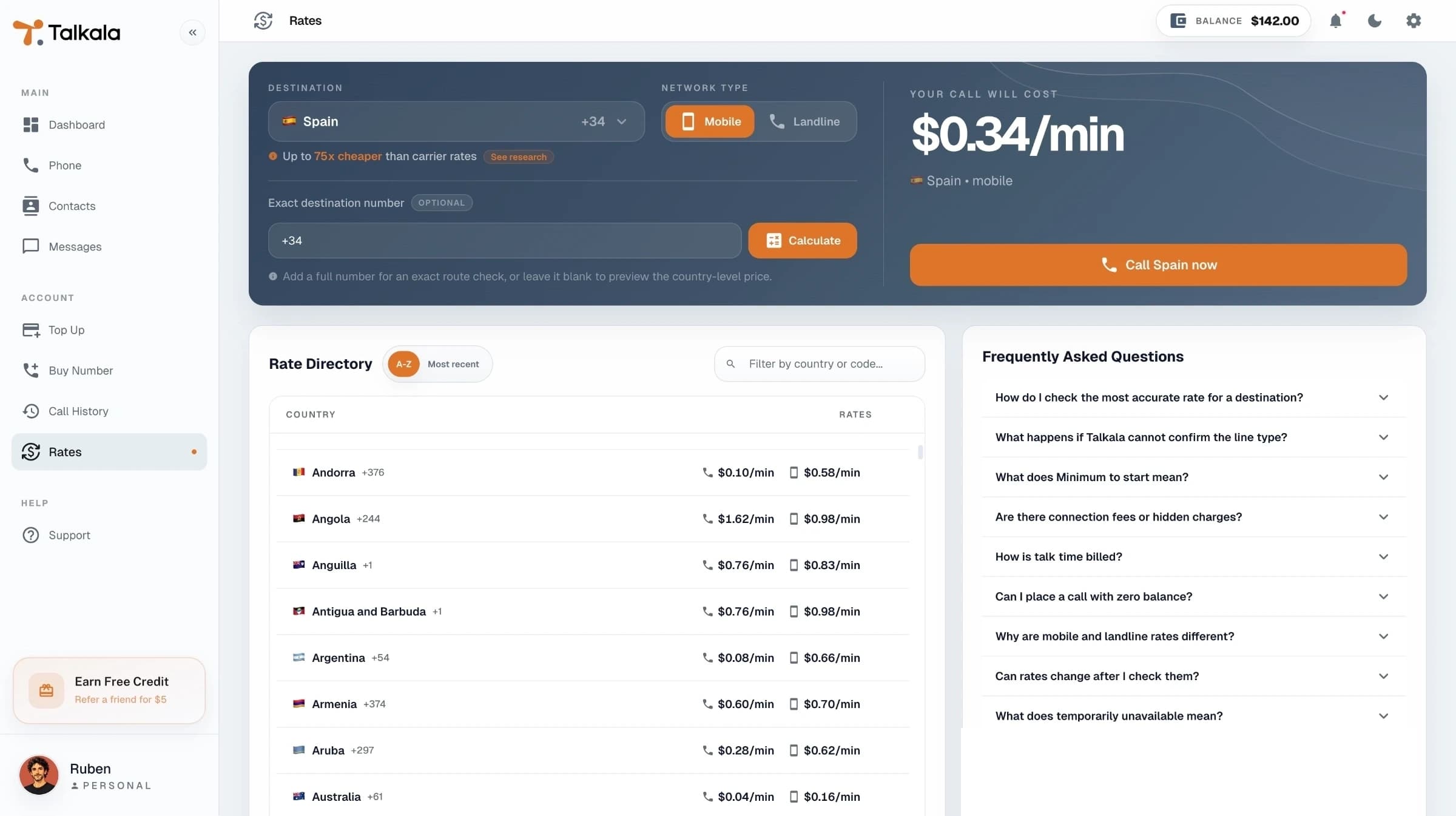
Use a calling service that shows the rate before you dial and charges from prepaid balance instead of leaving the cost to a later phone bill. Talkala is useful when messaging apps cannot reach the number: banks, airlines, hospitals, hotels, government offices, and family landlines often still expect a normal phone call.
International calling gets stressful when the basic answers are hidden until after the call. Talkala puts the practical details in front of the dial button.
The rate appears before you call. You can also browse destination rates before creating an account.
Talkala connects to mobiles and landlines in 230+ countries, not only to other Talkala users.
After the call, call history shows the final duration, cost, status, and rate details when available.
You see the rate before dialing. After the call ends, Talkala calculates the final cost from the connected call time.
Public rate pages show current country prices. The signed-in dialer confirms the exact rate for the number you enter.
The dialer shows the minimum balance needed to start, so you do not place a paid call your balance cannot cover.
When the call ends, the final cost is based on the completed call record and appears in your call history and wallet activity.
Key detail
Talkala calling charges come from your prepaid wallet. You are not waiting for a mobile carrier bill to find out what an international call cost.
FAQ
Use a service that can reach real phone numbers, shows the destination rate before dialing, and charges from a clear prepaid balance. Talkala is built around that flow.
No. In many countries, mobile and landline networks have different costs. Talkala shows the rate for the number before the call when the line type is known.
No. Calling is pay as you go from prepaid balance. Talkala numbers and Smart Auto Top-up are optional.
Use the Rates page or a country page to review published destination pricing before signing in.
Next step
Browse supported countries or jump straight to the rate table before you create an account.