

TALKALA VS TALK360
Talk360 alternative
Call mobiles and landlines directly from your browser
Use Talkala to call from your laptop or phone browser without installing another calling app. Talk360 offers app-based calling with prepaid credit, local payment options and credit sharing. Both show the rate before you call.
Eligible new accounts can try one 60-second call without adding a card.
- No calling app to install
- Pay-as-you-go calling
- Rate shown before calling
 TalkalaCall from your browserPay-as-you-go credit
 Talk360Call from the mobile appPrepaid credit and local payment options
Which service fits the way you call?
Choose Talkala when:
- You want to call from a laptop or browser
- You do not want to install another calling app
- You want to check a rate and place the call in the same browser workflow
- You mainly need to make calls rather than send credit or mobile top-ups
Choose Talk360 when:
- You prefer a calling app on your phone
- Its available local payment methods or retail vouchers suit you
- You want to send purchased calling credit to another Talk360 user
- You also send airtime or data through Shop360
Both offer prepaid calls and show the rate before dialing. The recipient answers through their regular phone service without needing an app or internet connection. Payment and top-up options vary by country.
Check your Talkala rate
All ratesWhere are you calling?
Choose a destination
USD starting rates · US caller ID. Check the exact rate for your number and caller ID in the dialer.
See how each service works
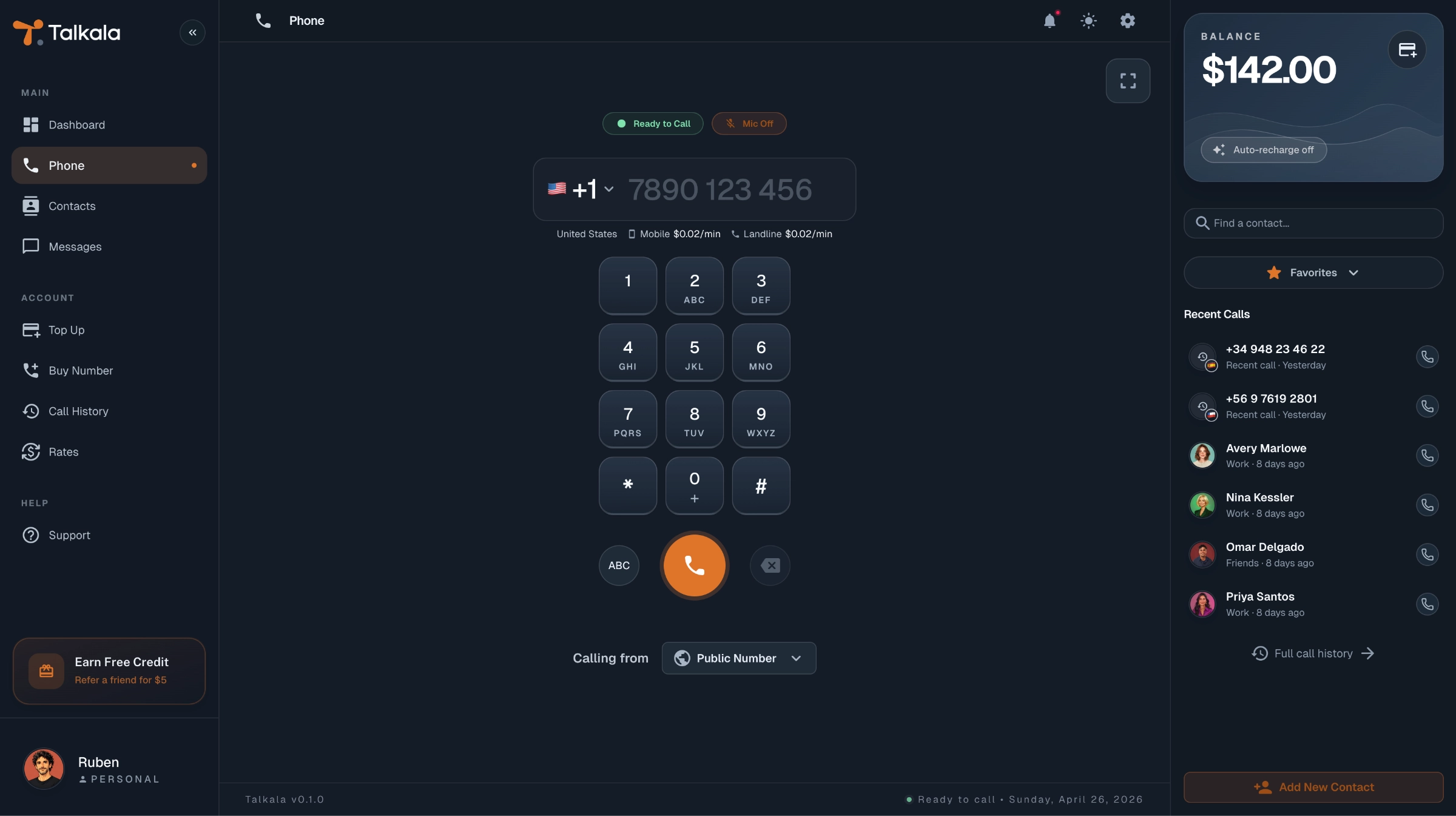
See Talkala’s browser dialer alongside Talk360’s mobile calling interface.
Talkala · Browser dialerEnter an international number, review the rate and start the call from your browser.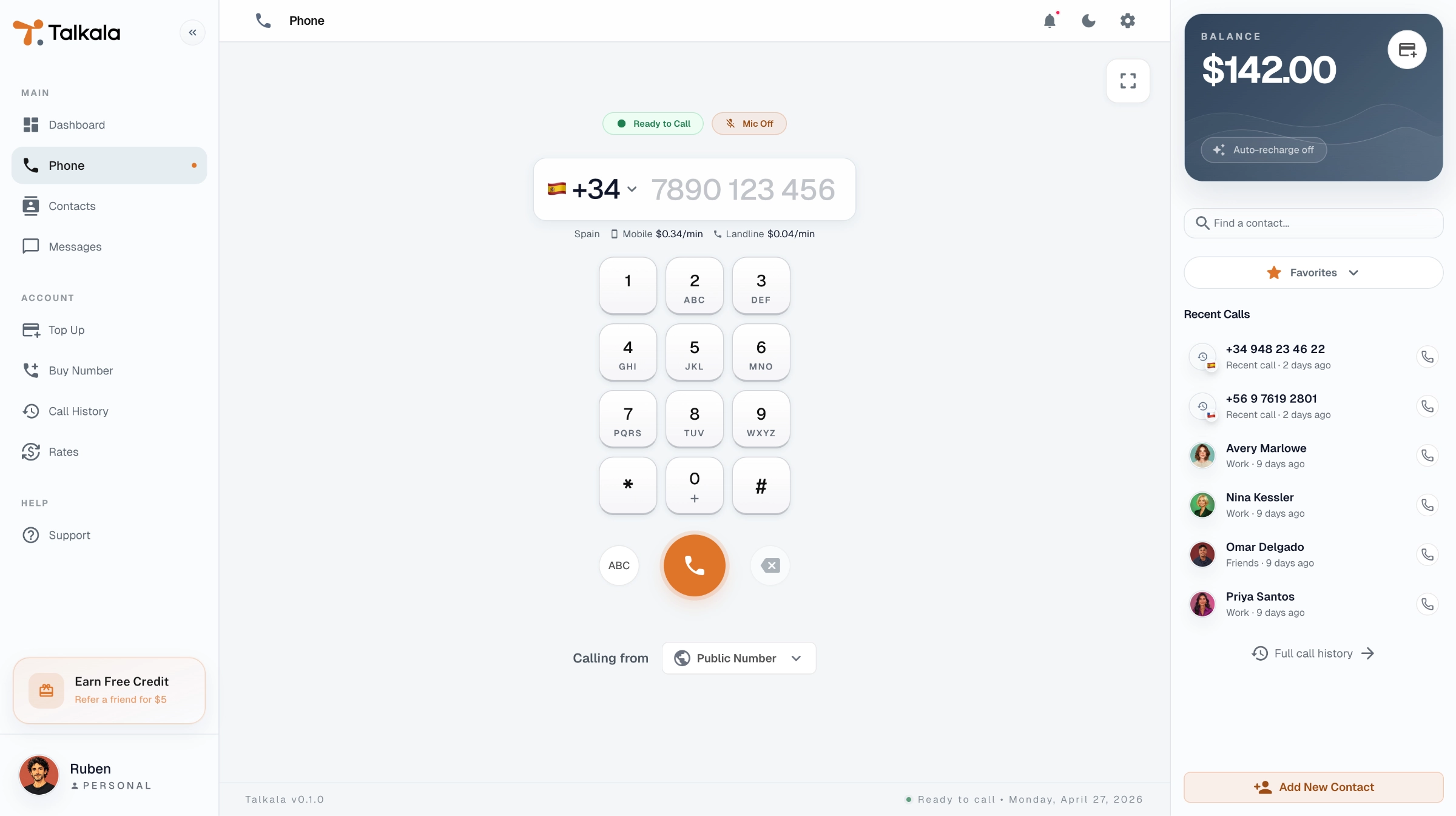
 Talk360 · Mobile appChoose a contact or enter a number, check the displayed rate and call using your available credit.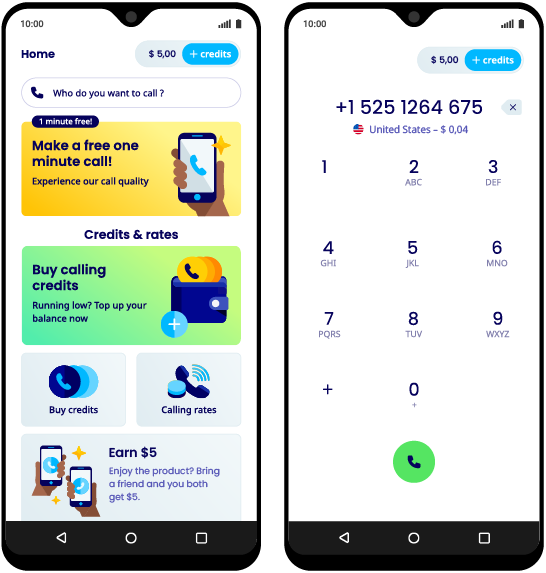
Talkala shows an example account and rates. Talk360’s official app image was retrieved September 7, 2026. Images show interface examples, not current offers or rate quotes. Talk360 screenshot source.
Talkala and Talk360 at a glance
Compare the calling workflow, ways to buy credit and options for helping someone else stay connected.
Swipe the table to compare both services.
| What matters | Talkala | Talk360 |
|---|---|---|
| Where you place the call | Supported web browser on a computer or phone. | Talk360 mobile app.See details |
| Calls regular mobiles and landlines | Yes | Yes |
| Recipient can answer without an app or internet | Yes | Yes |
| Prepaid calling without a monthly subscription | Yes | Yes |
| Exact rate shown before calling | Yes, in the browser dialer | Yes, in the app |
| How you buy calling credit | Online checkout. | Online payment methods and retail vouchers where available. |
| Sharing calling credit | A shared team balance through Talkala Teams. | Transfers of purchased calling credit between accounts. |
| Send airtime or data to a mobile number | No | Yes, through Shop360 for supported destinations |
| Best for | Browser calls without installing another calling app. | Mobile-app callers who value its payment, credit-sharing and top-up options. |
Compare checkout totals as well as call rates. Talk360 documents a service fee on in-app Buy Credit purchases, displayed before payment; Smart Top-Up is excluded.
How to try Talkala alongside Talk360
Keep Talk360 while you compare. Check the Talkala rate for the numbers you call and try an eligible free call before changing your routine.
- 1
Create your Talkala account
Sign up and complete any required verification. Eligible new accounts can try a call without adding a card.
- 2
Enter the international number
Choose the country and enter the mobile or landline number you want to reach.
- 3
Review the rate and start the call
Check the rate and free-call eligibility, allow microphone access and start the call.
Trying Talkala does not move your Talk360 credit or change its Smart Top-Up settings. Manage those separately in Talk360.
The free call is for eligible new personal accounts and qualifying numbers priced at $0.99/min or less. The dialer confirms eligibility before you call.
Talkala and Talk360 questions
Is Talkala a Talk360 alternative?
Yes, for calls to supported regular mobiles and landlines. Talkala provides a browser dialer, while Talk360’s documented calling workflow uses its mobile app. Talk360 also offers credit-sharing and mobile top-up options.
Calling modelCan I use Talk360 from a computer or browser?
Talk360 documents its mobile apps rather than a browser dialer. Its Help Center says there is no dedicated Windows or Mac desktop app, although some Apple Silicon Macs can install the iPad version. That remains an installed mobile app, not browser calling. Talkala provides a dialer in supported web browsers.
Supported devicesDoes Talk360 require a monthly subscription?
No. Talk360 uses prepaid calling credit without a mandatory monthly calling subscription. Its optional Smart Top-Up setting can buy more credit during an active call when the paid balance runs low. It must be enabled by the user.
Smart Top-UpDoes Talk360 show the price before I call?
Yes. Talk360 shows the exact per-minute rate for the number in its app before the call. Talkala also displays the rate before connecting. Compare the number you actually want to reach rather than assuming either service is always cheaper.
Exact rates before callingCan I buy Talk360 credit using cash or local payment methods?
Talk360 supports different payment methods by country, including retail credit vouchers in some locations. Check the options available for your account and country before relying on a particular method.
Buying credit and vouchersIs sharing Talk360 credit the same as a Talkala team balance?
No. Talk360 can transfer purchased calling credit to another account; the recipient needs to register and verify their number to use it. Talkala Teams instead lets team members make calls from one shared balance in a separate workspace. That is different from transferring personal credit between users.
Sharing purchased creditIs a Shop360 mobile top-up the same as calling credit?
No. Shop360 sends airtime, data or a carrier bundle to a supported mobile number. Calling credit pays for calls placed through Talk360. Adding credit to Talkala likewise does not recharge someone’s mobile-carrier account.
Shop360 and calling creditAre there fees when buying Talk360 credit?
Talk360’s Help Center documents a service fee for in-app Buy Credit purchases, shown before payment. The purchased credit amount is still added in full. Its documentation excludes Smart Top-Up from this fee. Check the current checkout total and terms for your purchase.
Service feeDoes the person I call need Talk360, Talkala or internet?
No. For a normal call to a supported mobile or landline, the recipient answers through their existing phone service. The caller needs internet for these app/browser calls.
Calling modelIs Talkala cheaper than Talk360?
It depends on the number, destination, rate and purchase costs. Check the rate for the same number in both services and compare the final checkout totals. Promotional credit and payment-provider charges can also affect the comparison.
Calling costsCan I keep using both services?
Yes. Trying Talkala does not change your Talk360 account or balance. You can keep both and use whichever suits a particular call. Review Smart Top-Up separately if you no longer want automatic credit purchases.
Smart Top-UpTalk360 details checked September 7, 2026, against its official product pages and Help Center. Rates, payment methods, supported devices, fees and feature availability can change. We have not tested call quality side by side.